-2.png?width=221&height=60&name=Navigo_Logo_High_Res%20(1)-2.png)
Model Permissions
To share your model with other collaborators, you can add individuals and set permissions using the ‘Share’ button from the overview window.
-
Open the Overview Window using the toolbar icon.
-
Select the simulation you wish to share & on the right hand side select ‘Share’
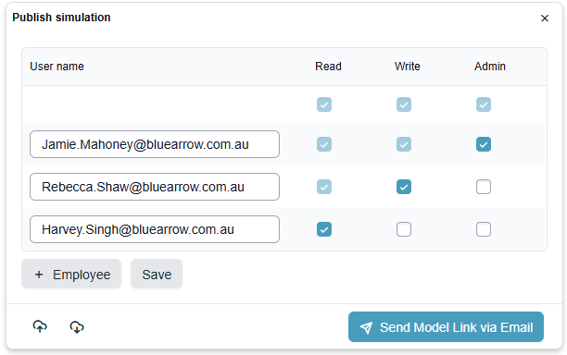
Simply select a user from the search list & select ‘+ Add’:
-
Read access - Can only view the model
-
Write access - Can view and edit the model
-
Admin access - Can view, edit and delete the model.
Please note, you cannot share a plan with a user who is not authorised to access Modelling.