-2.png?width=221&height=60&name=Navigo_Logo_High_Res%20(1)-2.png)
When a model is created, a copy of the current data is taken. This becomes the data set for your model and does not get updated automatically when the data is refreshed. Performing a data refresh is an important step to take prior to sharing your model, users will then have confidence in the data presented.
If you need to refresh a model against the latest version of your data, you can follow the steps below:
-
Open the model containing the changes you wish to run against the latest data.
For more information on how this can be done, see How to Open an Existing Model.
-
Download the simulation exchange file located under ‘Modelling Action’. This will download a file to your device.

-
Exit the model
-
Create a new model in the latest chart version. This model will be created using the current Org Chart data.
-
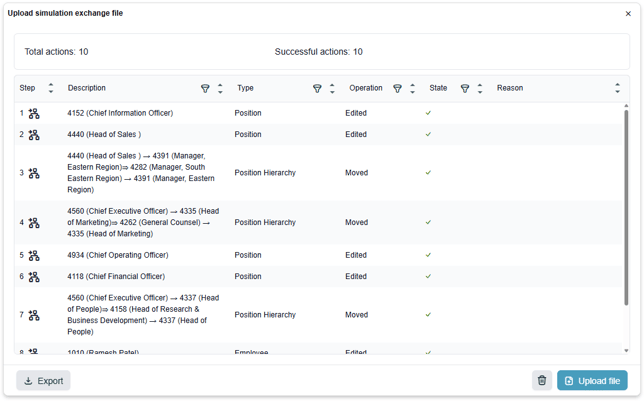
Select Upload Simulation under ‘Modelling Actions’, and upload the file you downloaded in step 2.

-
You will be presented with a summary of the changes applied from your old model to the current one with the latest data. This summary will include any conflicts found in the model compared with the current data. This list can be exported to csv for your records.