-2.png?width=221&height=60&name=Navigo_Logo_High_Res%20(1)-2.png)
Parallel view splits your screen into two sections, allowing you to work with different parts of the structure side by side. This is helpful when you need to review structures or information in different parts of the organisation simultaneously.
To enable Parallel view, you can do the following:
-
Duplicate the the view by dragging the 'Org Chart' tab beneath your toolbar (in the top left) to the centre of the screen and selecting copy.
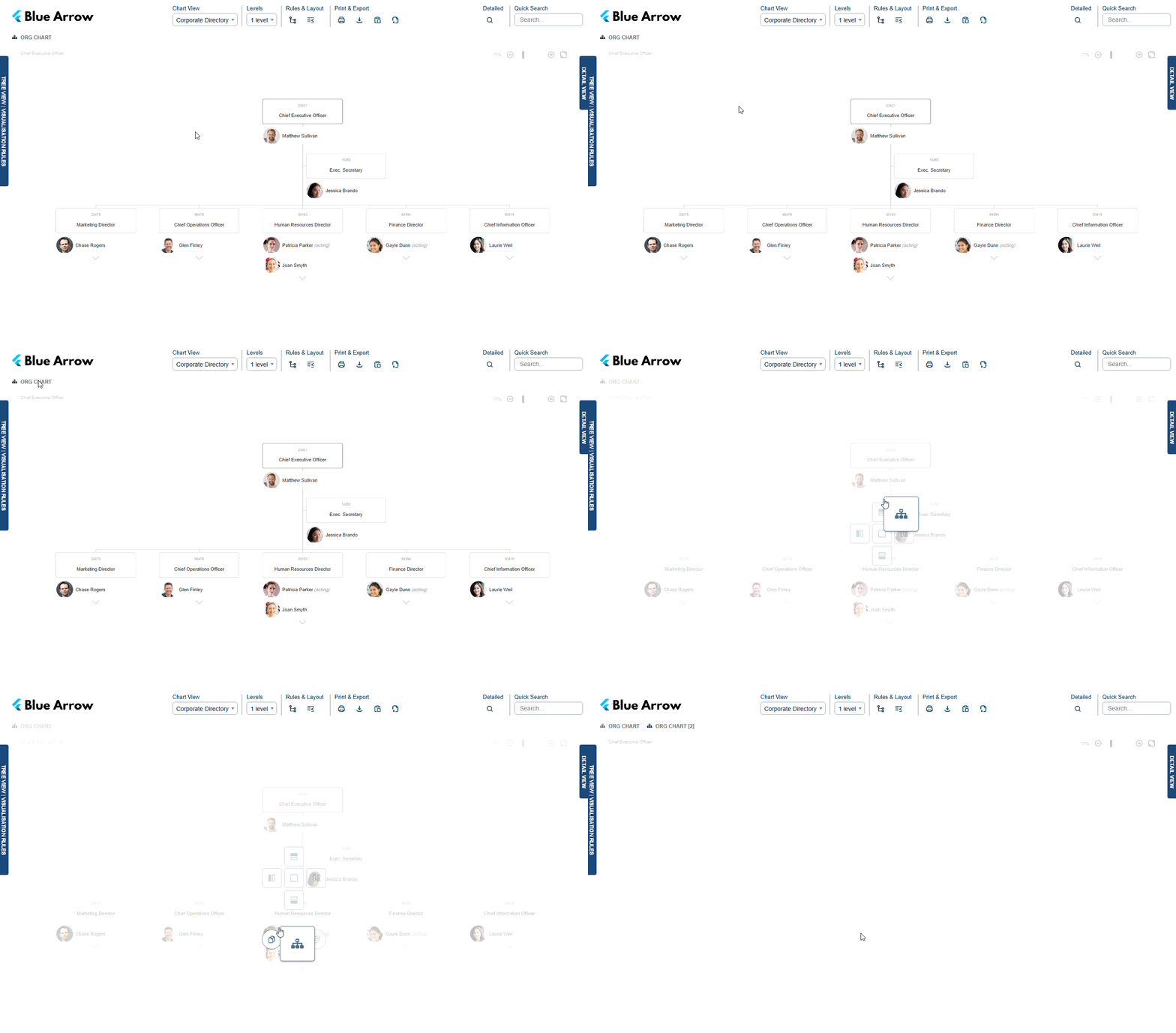
-
Next, drag the newly duplicated modelling view ‘Model [2]’ to where you want it displayed on the screen.
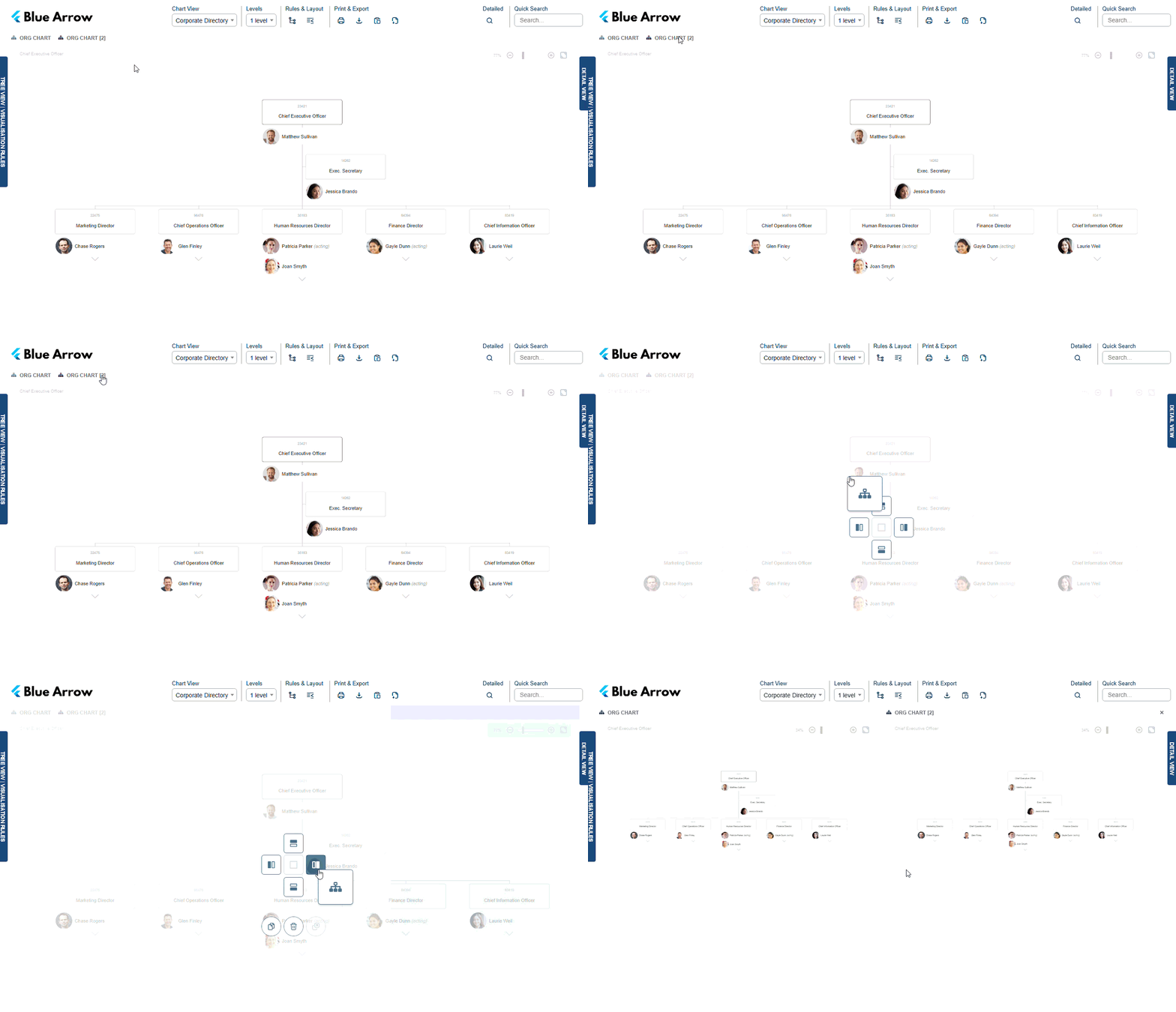
-
To delete the duplicated view, you can drag the title ‘Model [2]’ down and select the bin icon.
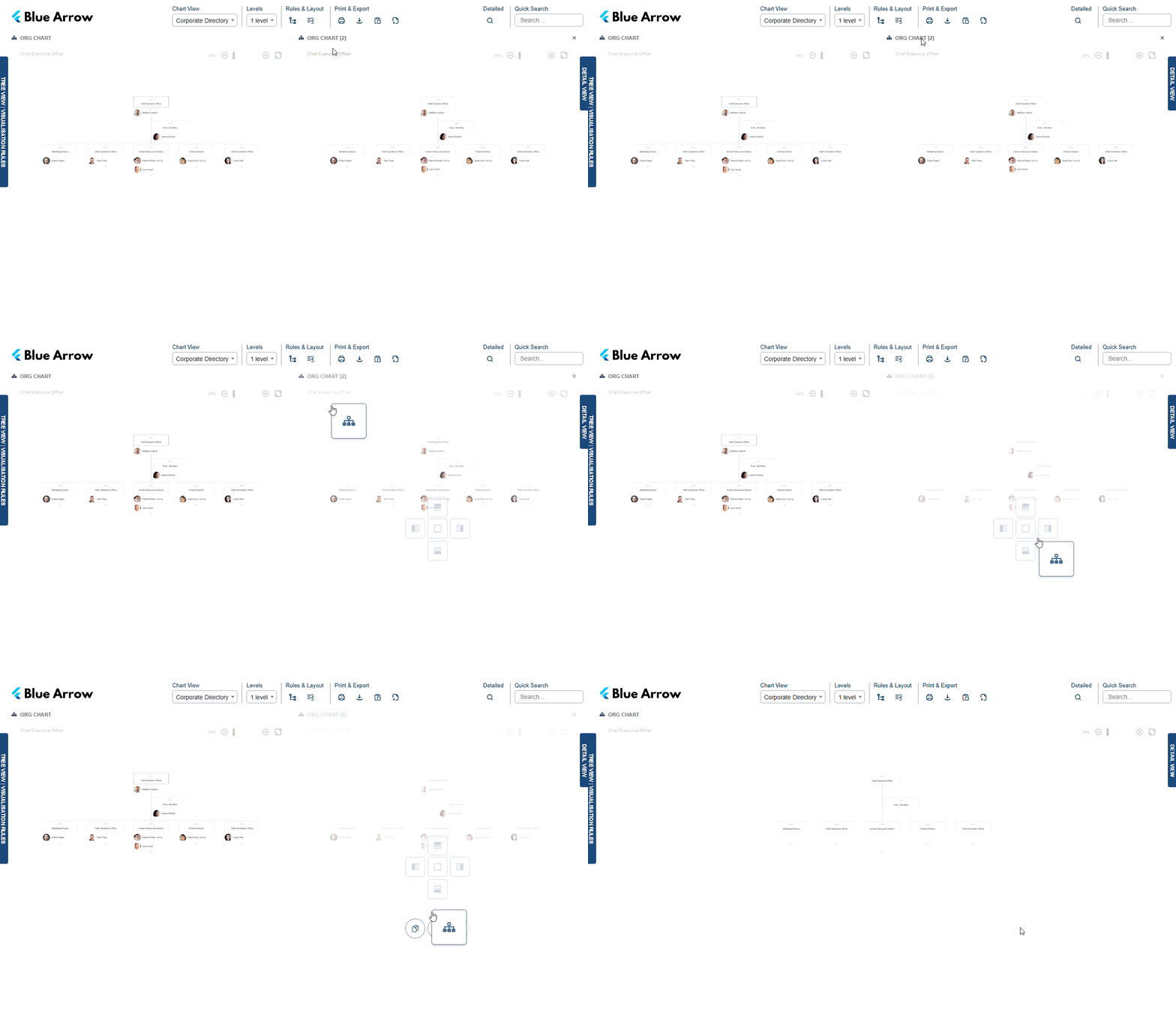
To adjust the size of each window, click and drag anywhere on the gap between the two windows either left or right.