-2.png?width=221&height=60&name=Navigo_Logo_High_Res%20(1)-2.png)
Overview
The steps run to create an Enterprise Application to integrate the org.manager with Microsoft Entra ID via SAML 2.0.
For OAuth 2.0 similar steps can be used (creating an App Registration).
Steps
|
Log into Azure Portal and go to Microsoft Entra ID. |
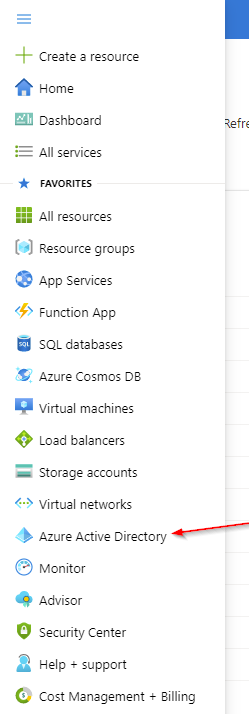 |
|
Add an Enterprise application |
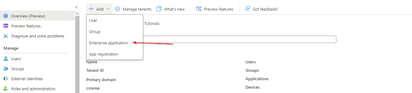
|
|
Select 'Create your own application' |
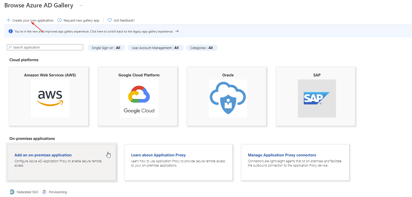 |
|
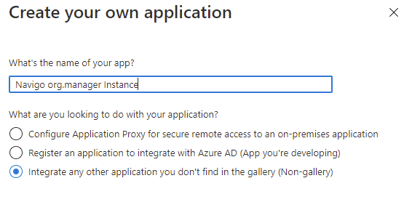 |
|
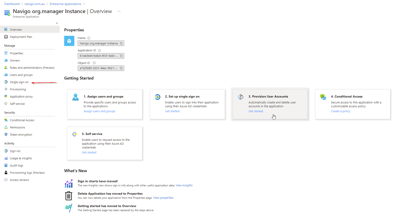
Go to 'Single sign-on' |
 |
|
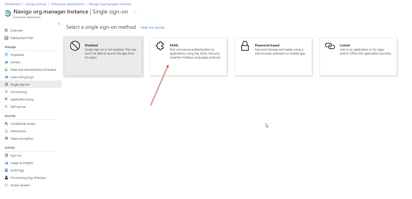
Select 'SAML' |
 |
|
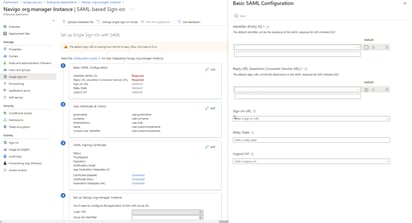
Edit the 'Basic SAML Configuration' section and add the following settings:
|
|
|
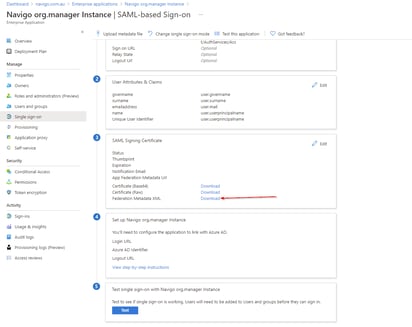
Download the metadata file to be shared with Navigo to complete the configuration on the tenant side. |
|
Please note that, depending on your internal network restrictions, you may need to whitelist the org.manager application URL, which will be provided by the Navigo technical resource assigned to the project.