-2.png?width=221&height=60&name=Navigo_Logo_High_Res%20(1)-2.png)
What this chart does
The Corporate Directory Chart gives your team a company-wide view of your organisation, with contact details mapped directly onto each position. Employees can browse the structure and find the information they need without hunting through spreadsheets or outdated intranet pages.
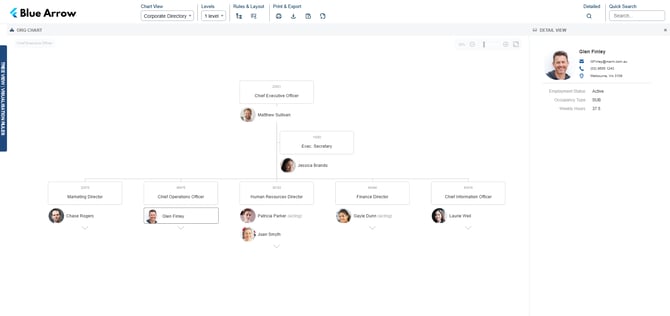
Objectives
- Give all employees access to an up-to-date organisational structure
- Let employees find contact details for colleagues quickly and easily
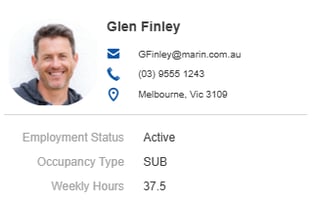
Required fields
To get the most out of this chart, the following fields are generally recommended:
- Name
- Position title
- Department
- Photo
- Email address
- Phone number
- Employee Images (if available)
These fields populate the directory view and make the chart useful as a day-to-day tool, not just a one-off reference.
Conditional formats
No conditional formats are applied to this chart by default. You can add your own to highlight specific roles, teams or statuses to suit your org's needs.
Vacant positions
Vacant positions will appear in the chart structure. If you want to visually distinguish vacancies from filled roles, you can a conditional format to flag them clearly.
Formulas
No formulas are required for this chart.
Security
This chart is configured for company-wide access by default. Security is applied at the Home Contact Details level, so employees can view contact information without accessing any sensitive HR data.
Mapped fields
No additional field mapping is required beyond the required fields listed above.