-2.png?width=221&height=60&name=Navigo_Logo_High_Res%20(1)-2.png)
There are a number of different options available to export your Charts. Access these from your Toolbar.

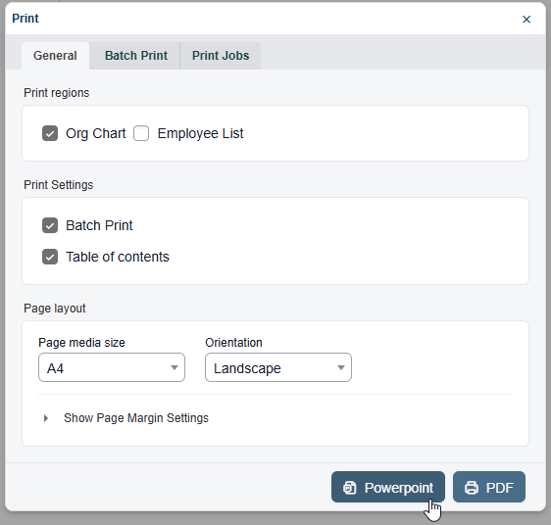
Enables you to export the chart into PDF file format. You also have the option to export Table of Contents and export multiple levels at once using Batch print.
In the batch print section simply select the structure that you would like to export.
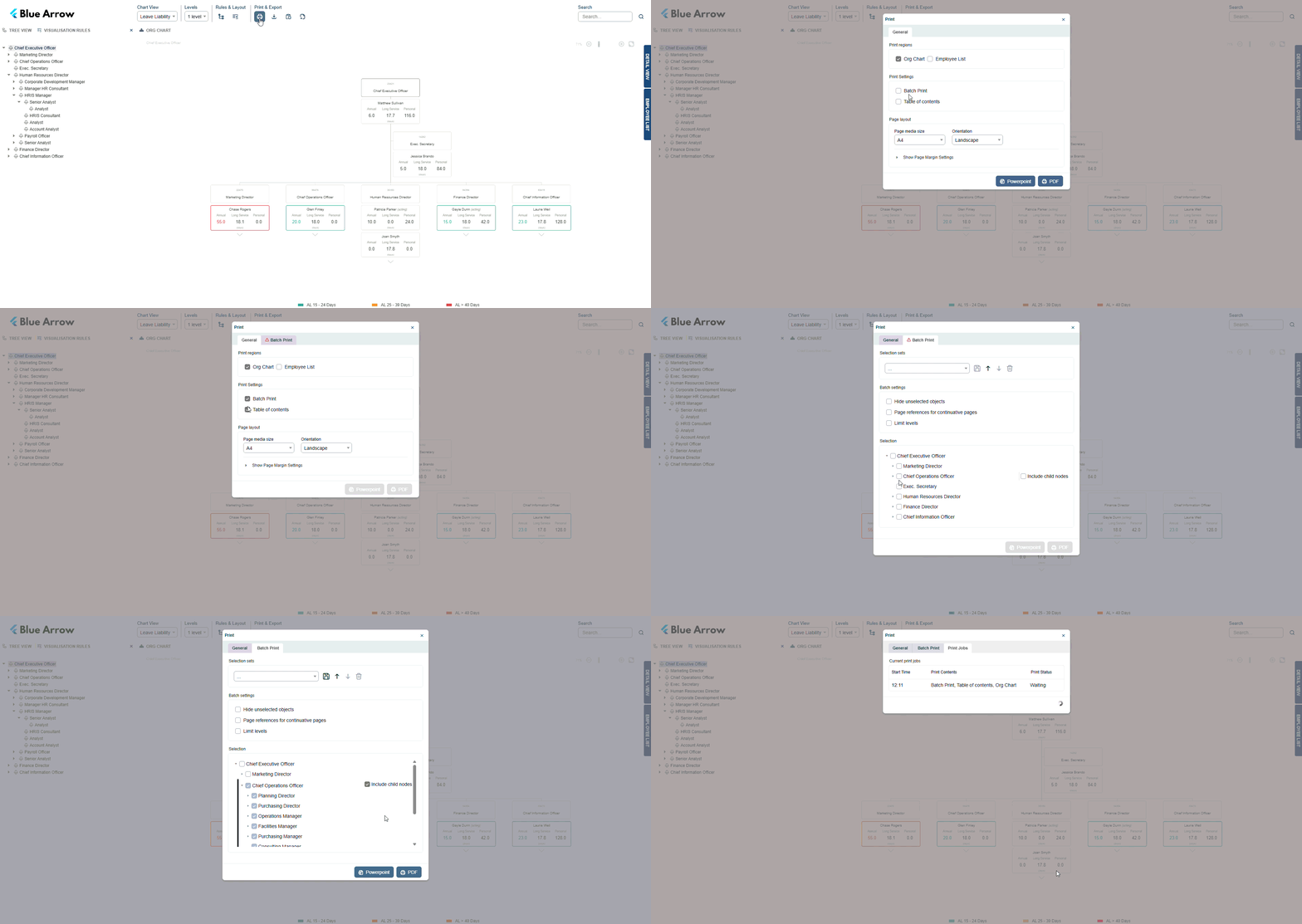
PowerPoint
Enables PowerPoint export, with the same options above for formatting and batch printing.
CSV
Enables data export in CSV file format for the entire organisation or only the visible structure. These also can be customised (i.e. WGEA reporting etc).
Copy to Clipboard
Enables you to copy the org structure in an image format to your clipboard to paste and share in external documents/presentations.
Image
Downloads what is shown on your screen to your downloads folder in (PNG) file format.