-2.png?width=221&height=60&name=Navigo_Logo_High_Res%20(1)-2.png)
If you need to make the same change to multiple objects such as editing an attribute or moving objects, you can do this in bulk instead of editing it one by one.
Editing Positions / Employees or Org Units
-
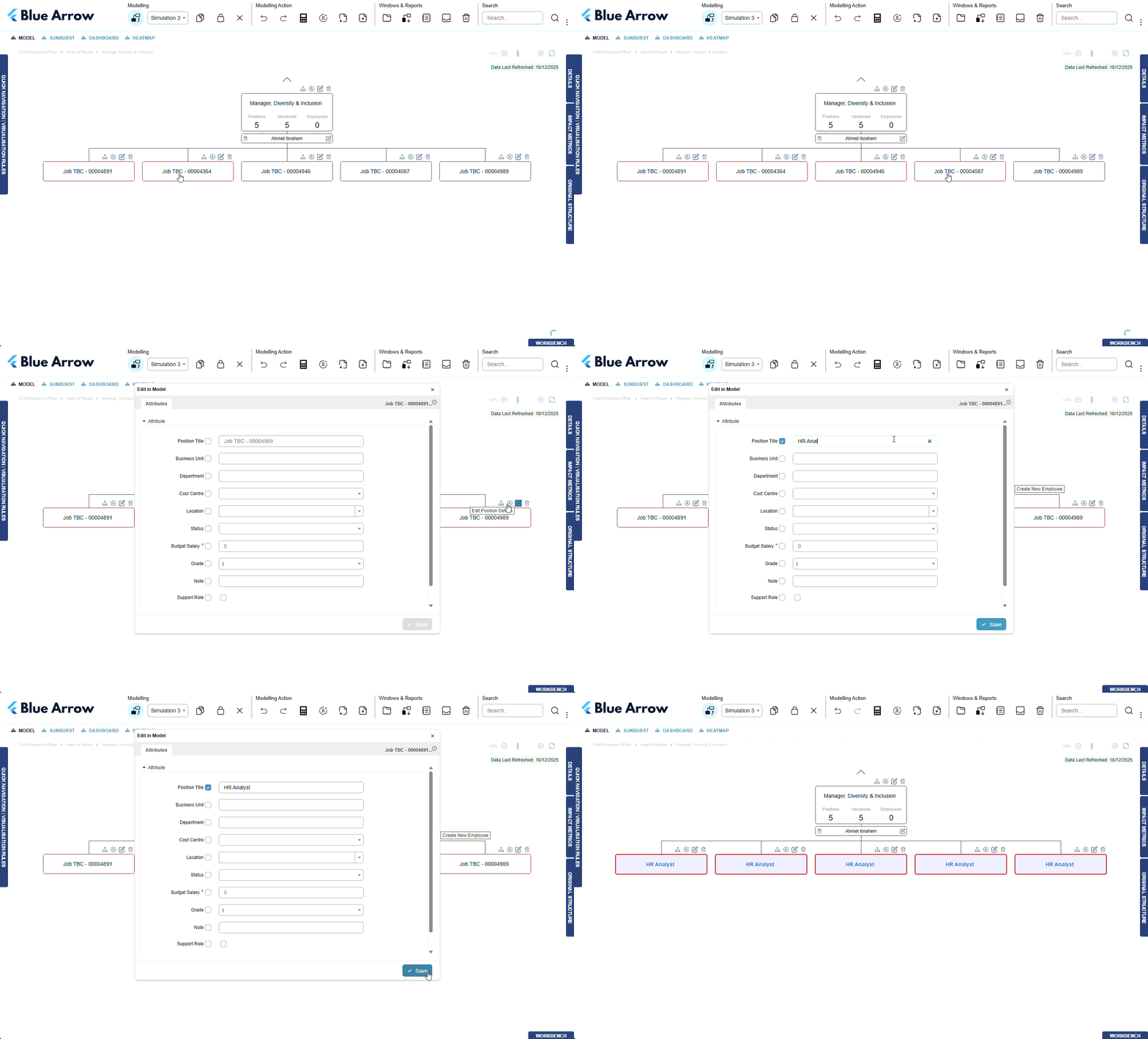
Hold Shift + Click to select the boxes you wish to edit (selected boxes will be highlighted in red).
-
Select the edit icon on any of the selected boxes.
-
Edit the desired information and select save.
Create multiple of the same position
-
Create one position, as you would usually when creating a single position.
-
Copy and paste the position, by selecting the position you wish to copy, and then using the keyboard shortcut Ctrl + C
-
Select the position that will be the manager position, and using the keyboard shortcut Ctrl + V paste the position. This will copy all data associated with that position, and create a duplicate copy of the position.
-
Repeat for as many positions as are required.