-2.png?width=221&height=60&name=Navigo_Logo_High_Res%20(1)-2.png)
What's new?
Sharing your models just got a whole lot easier
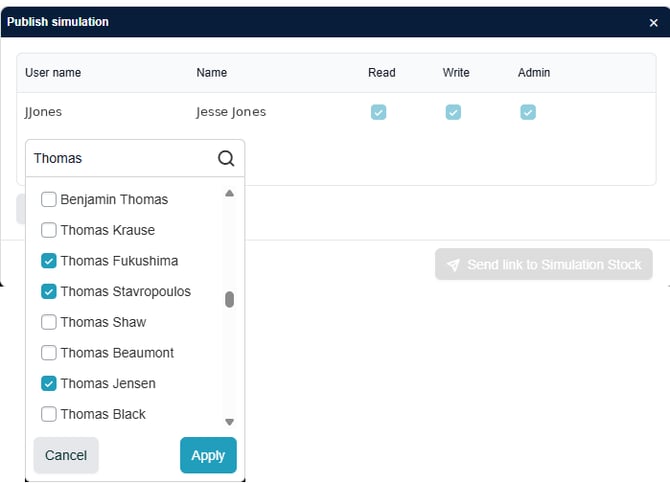
Share your org model with your whole project team in one step.
Inviting people to collaborate on a model is now faster and more intuitive:
- Search by name: start typing a first name, last name or username and org.manager finds the right person straight away.
- Invite multiple people at once: select everyone who needs access and send a single invitation. Read, write or admin permissions, set as you go.
- See real names: invitations and permission lists now show people's actual names, so you can tell at a glance exactly who has access to your model.
Whether you're working through a confidential org model with a small working group or opening a proposed structure up for broader review, getting the right people in takes seconds.
Build out new teams in one step
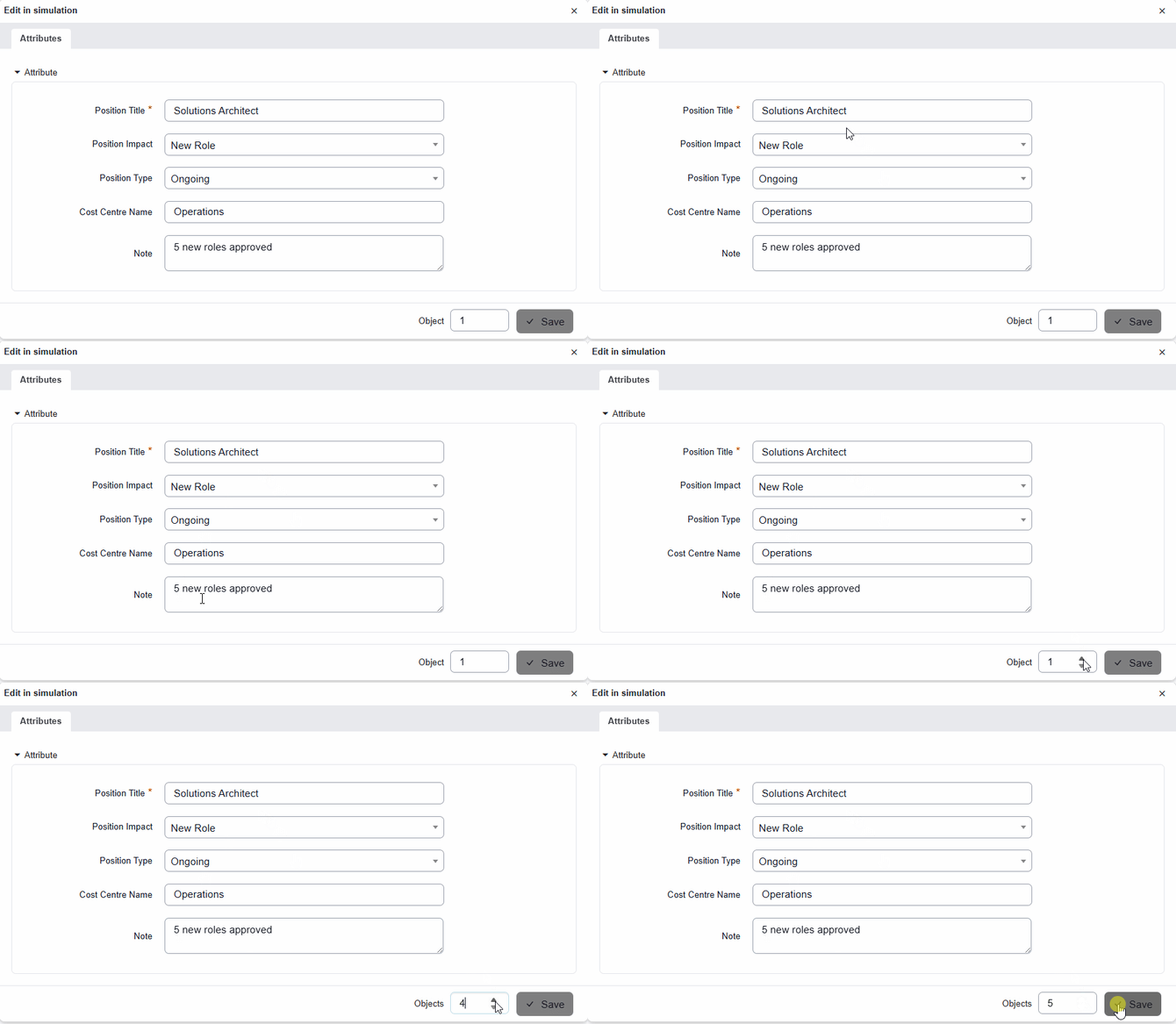
Create a whole batch of new positions in a single step.
When you're modelling a new team, department or program, you often need a batch of similar positions to shape the structure before the detail is settled.
You can now enter a quantity when creating positions or org units in a model, and org.manager creates them all at once. Sketch out a new 15-position team in one step, then refine titles, grades and reporting lines from there.
A small change that makes a real difference in bigger modelling exercises.
What you see is now what you print
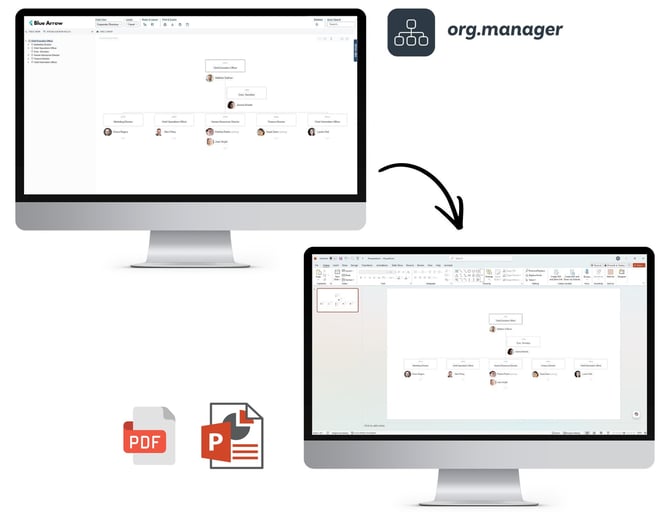
Your PDF and PowerPoint outputs now match your on-screen charts.
Printouts, image exports and chart outputs are now generated with the same rendering technology as the on-screen display. The result: what lands in your board pack is what you saw in org.manager, with consistent fonts, spacing and layout across screen and page.
No setup required. Every print and export benefits automatically.
Also in this release
- Stronger privacy controls: attributes can now be flagged as sensitive, keeping personal or confidential information out of prints and exports unless you deliberately allow it for a specific output. A welcome addition for organisations handling sensitive workforce data.
- Security improvements: additional server-side validation strengthens protection around links generated by the platform.
- Performance improvements: smarter caching means linked data loads faster, particularly in larger organisations.
Want a hand with any of these features, or curious what they could do for your organisation?
Reach out to the Navigo support team and we'll get you sorted.